The fastest way to launch Meta Ads without losing your mind.
ads-flow mirrors every campaign and ad set setting so you can push 100+ creatives instantly, across all your BMs. Upload your media, configure your ads, launch.
No credit card required.
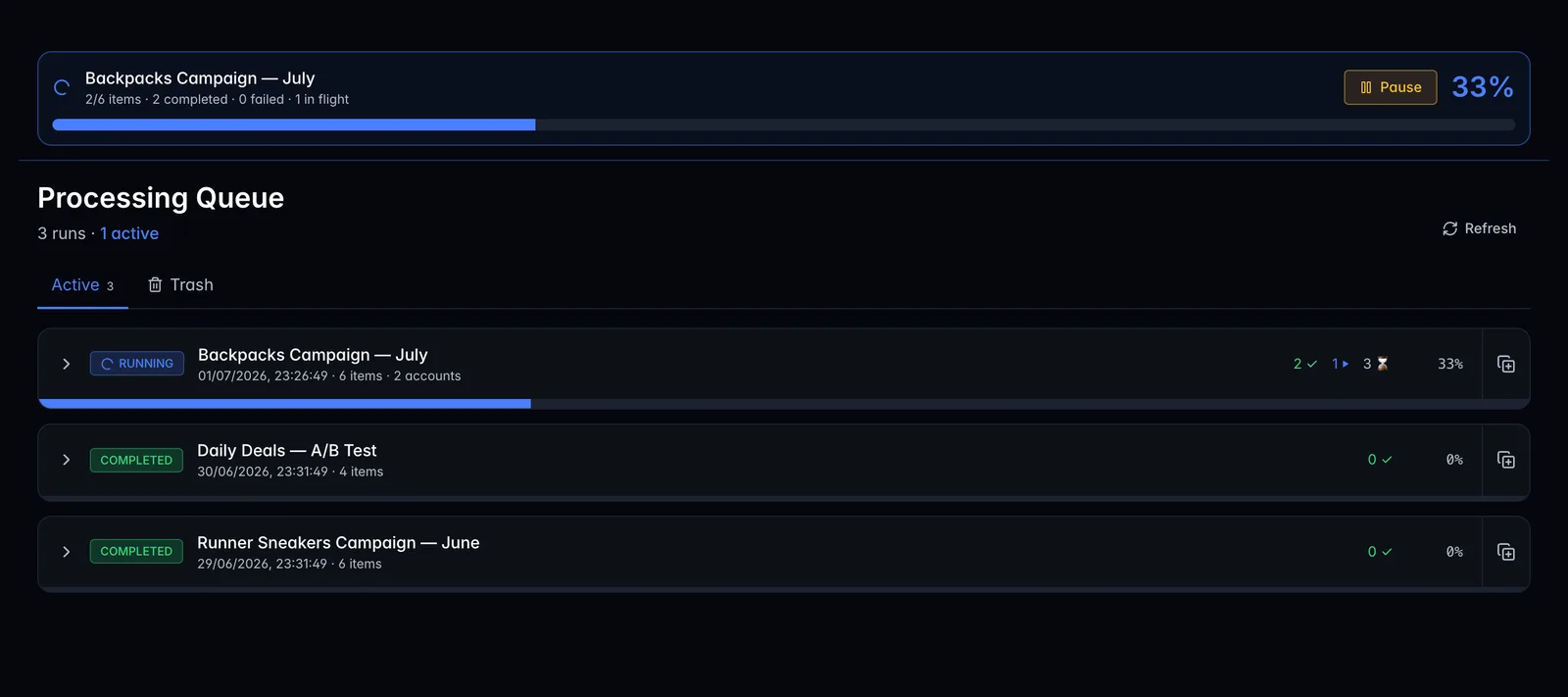
· 24 items · 8 accounts
- Bulk-publish unlimited ads across unlimited ad accounts
- Auto-match aspect ratios & thumbnails in one pass
- Duplicate winning ads by post ID, keep the social proof
- Launch via Meta Marketing API or export XLSX, your call
The tool that removes every upload headache.
What used to be a full afternoon of clicks is now a single launch. The numbers below are pulled straight from the live product, no cherry picking.
- 67s
- to launch 100 ads
- 4 plans
- $49 → $497 / month
- 14 days
- free, full product
- ∞ BMs
- no per-account fees
vs 2–3 hours doing it by hand in Meta Ads Manager
1k to 150k ads included · $0.01 per ad above the cap
no credit card, every feature unlocked
switch between unlimited ad accounts in one workspace
How it works
From first click to 100 live campaigns: minutes.
Seven steps. One config. ads-flow handles the repetition across every account simultaneously.
- 01
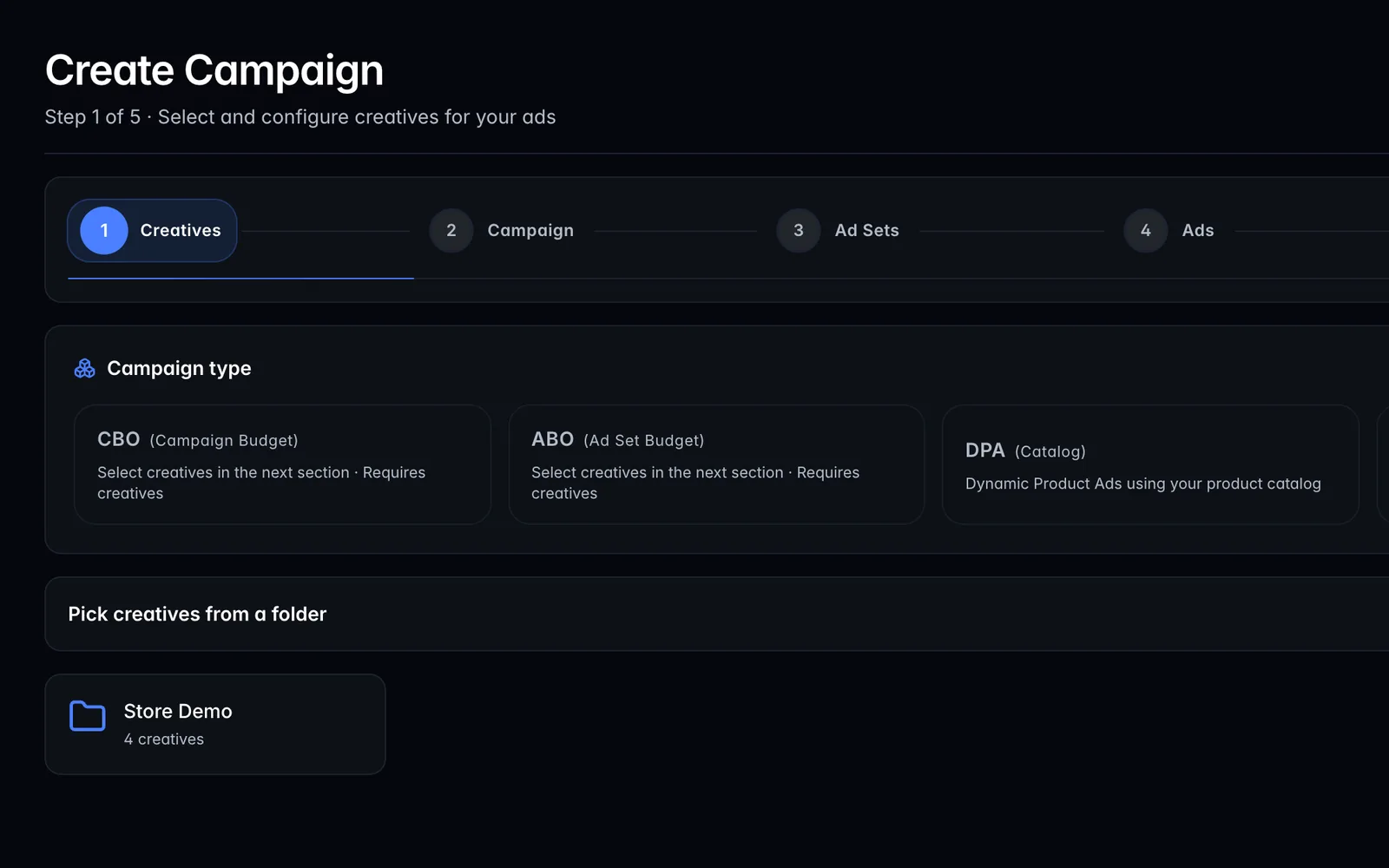
Choose campaign type
DPA for dynamic catalog ads. Set CBO for campaign-level budget or ABO for ad-set-level control, one config, every account.
- 02
Pick your creative
Browse your media library, pick the creative, ads-flow applies it to every account and placement automatically.
- 03
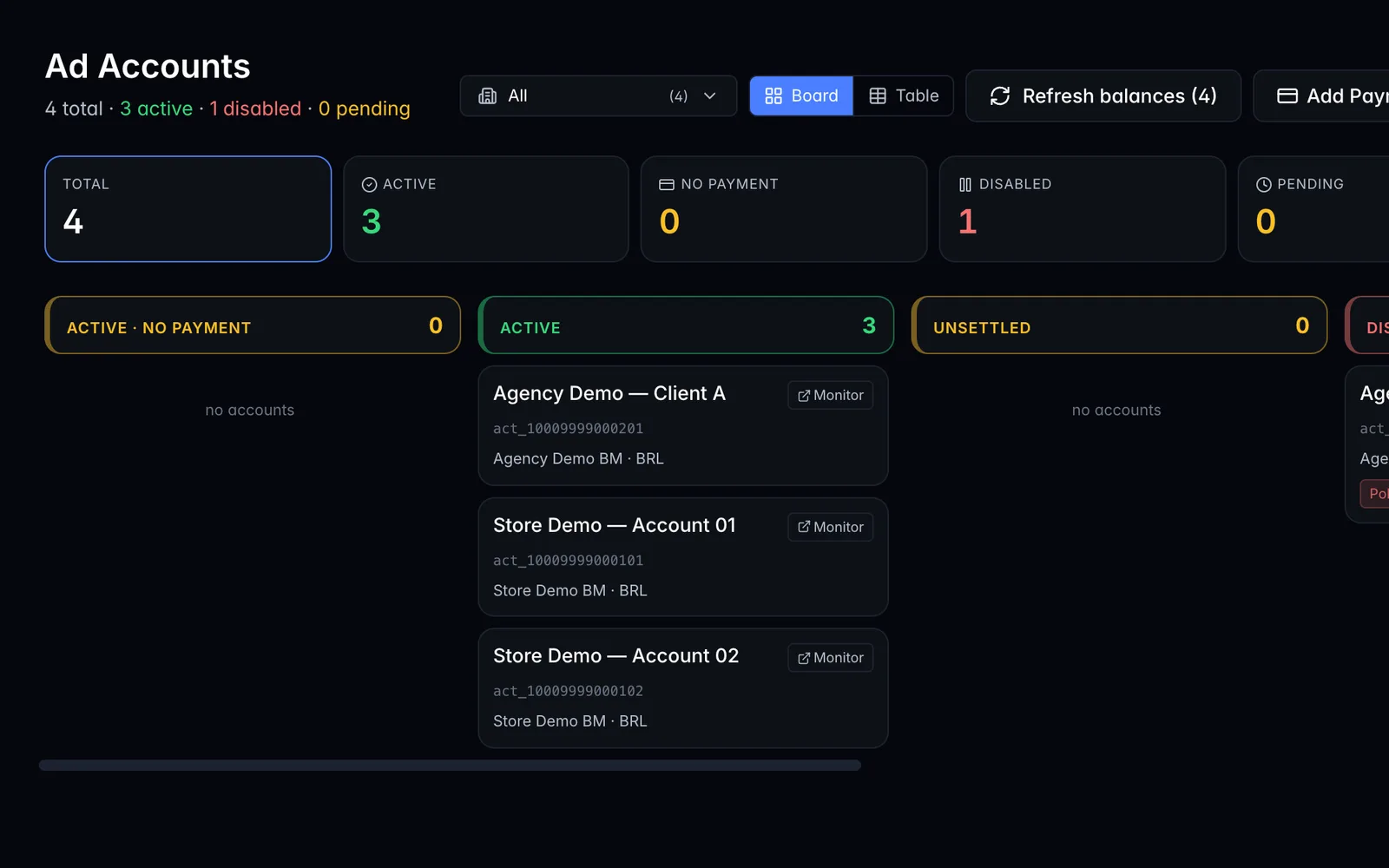
Pick your ad accounts
Select entire BMs or hand-pick accounts. ads-flow runs each account in parallel, no manual repetition.
- 04
Set budget & schedule
Daily budget per campaign. ads-flow distributes it across every account you selected.
- 05
Target your audiences
Set locations, age, gender and let Meta's Advantage+ find the best buyers automatically.
- 06
Set page, copy & CTA
Assign a Facebook Page per account, write your ad copy once, pick the CTA, ads-flow fills it in for every account.
- 07
Launch, all at once
One click publishes across every account simultaneously via Meta Marketing API.
Ads Monitor
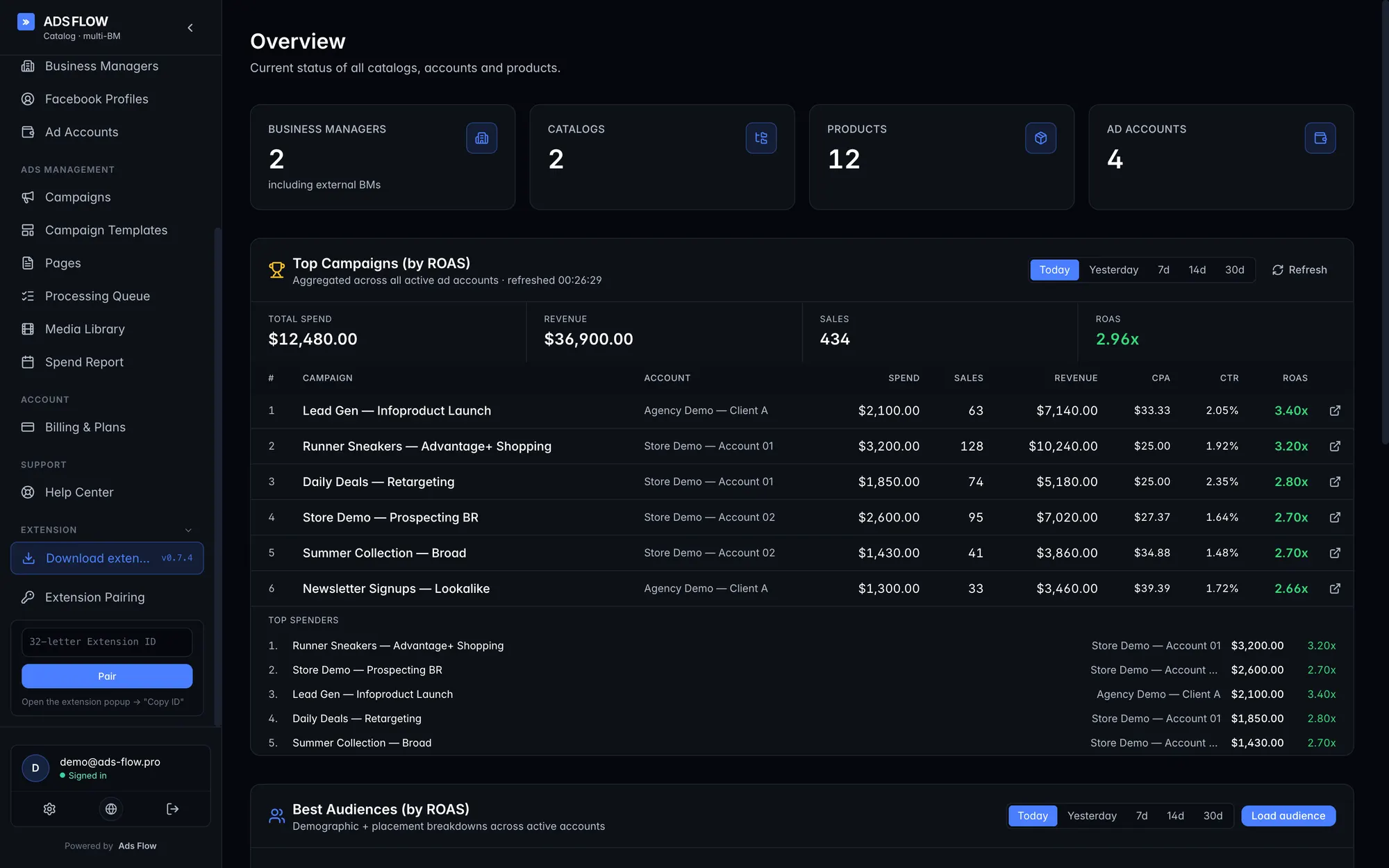
Every account, every campaign, one live screen.
ads-flow doesn't stop at launch. The built-in monitor streams spend, ROAS and profit from every BM you operate, so you don't learn an account fell at 9pm by checking Ads Manager.
- Live spend, ROAS and profit per ad, across every BM you operate
- Anomaly alerts on CPM jumps, ROAS drops, and account-status changes
- Drill from BM → campaign → ad set → ad in a single view
- Currency normalization · USD blended across geos
- Export to CSV / Sheets · webhook into your stack
- Pause-from-monitor: no need to switch back to Ads Manager
Features
The power features behind faster,
smarter ad launches.
Built around the real bottlenecks of a multi-BM operator. Every feature exists because something hurt enough to be worth solving.
Aspect Ratio Variations
Upload multiple ratios of the same creative, ads-flow auto-matches them to the right placements inside a single ad.
Custom Thumbnails
Pick the exact thumbnail for every video ad. No more Meta picking a still frame for you.
Creative Enhancement Controls
Toggle Meta's auto-enhancements per ad, so your brand stays your brand and you don't get silent re-crops.
Duplicate by Post ID
Scale winning ads by reusing the post ID across new campaigns, keep all the likes, comments and shares.
Multi-BM Publishing
One launch, one config, fanned out across every BM in your workspace. Built for operators running multi-account.
Carousel & Flexible Ads
Build carousel ads with per-card copy and links, or hand Meta the variations and let flexible ads pick the winner.
Ad Scheduling
Set start and end dates per ad set, they activate and stop on their own, without you remembering at 23:00.
Google Drive Integration
Pull creatives straight from Drive, no downloading-then-reuploading dance.
Campaign Presets
Save your standard campaign shape as a template and re-apply it in one click on the next launch.
Smart Ad Set Grouping
Group ads by variation, number or custom logic. ads-flow builds the campaign structure for you.
Dynamic Naming Patterns
Generate consistent ad names from variables. Pivot tables stay clean, reporting stays sane.
Build Previews
See the full campaign tree, which ads go in which ad sets, how many you'll create, before you hit publish.
Unique Copy Per Ad
Assign different headlines, descriptions and CTAs per ad or ad set. Fully automated, no per-row clicking.
In-App Media Library
Browse and reuse every creative you've ever uploaded, without leaving the launch flow.
Aspect Ratio Variations
Upload multiple ratios of the same creative, ads-flow auto-matches them to the right placements inside a single ad.
Custom Thumbnails
Pick the exact thumbnail for every video ad. No more Meta picking a still frame for you.
Creative Enhancement Controls
Toggle Meta's auto-enhancements per ad, so your brand stays your brand and you don't get silent re-crops.
Duplicate by Post ID
Scale winning ads by reusing the post ID across new campaigns, keep all the likes, comments and shares.
Multi-BM Publishing
One launch, one config, fanned out across every BM in your workspace. Built for operators running multi-account.
Carousel & Flexible Ads
Build carousel ads with per-card copy and links, or hand Meta the variations and let flexible ads pick the winner.
Ad Scheduling
Set start and end dates per ad set, they activate and stop on their own, without you remembering at 23:00.
Google Drive Integration
Pull creatives straight from Drive, no downloading-then-reuploading dance.
Campaign Presets
Save your standard campaign shape as a template and re-apply it in one click on the next launch.
Smart Ad Set Grouping
Group ads by variation, number or custom logic. ads-flow builds the campaign structure for you.
Dynamic Naming Patterns
Generate consistent ad names from variables. Pivot tables stay clean, reporting stays sane.
Build Previews
See the full campaign tree, which ads go in which ad sets, how many you'll create, before you hit publish.
Unique Copy Per Ad
Assign different headlines, descriptions and CTAs per ad or ad set. Fully automated, no per-row clicking.
In-App Media Library
Browse and reuse every creative you've ever uploaded, without leaving the launch flow.
Pricing · 14 days free on every plan
Pay for the volume you actually launch.
Unlimited ad accounts on every plan. Pick the cap that matches the scale you're running, bump up when you need more.
- Image & Video
- Catalog
- Multi-Accounts
- Support included
- Image & Video
- Catalog
- Multi-Accounts
- Support included
- Image & Video
- Catalog
- Multi-Accounts
- Priority support
- Image & Video
- Catalog
- Multi-Accounts
- Max Priority Support
No credit card required · Cancel anytime · Pay in USD
FAQ
Frequently asked questions.
Everything you need to know about ads-flow.
How does ads-flow speed up uploading ads?
It automates the slow parts of creative testing: bulk media uploads, thumbnail matching, aspect-ratio variations and ad-set grouping. You skip the per-ad clicking and reduce naming/setup errors.
How much time will I save?
A batch of 50 to 100 variations that takes 2–3 hours by hand in Ads Manager publishes in 1–2 minutes through ads-flow. The bigger your test, the bigger the gap.
How is this different from Meta's bulk upload?
Meta's XLSX bulk upload still asks you to upload media, match thumbnails, name everything and build structure manually. ads-flow handles all of that and publishes through the official Marketing API, or exports a ready-to-import XLSX if you want the manual review step.
Do I need technical knowledge?
No. If you can use Meta Ads Manager, you can use ads-flow. It's built for media buyers, not developers.
Can I use my existing campaign settings?
Yes. Pick any existing ad as the template, ads-flow mirrors every campaign and ad set setting. You only override what you actually want to change (copy, URLs, CTAs).
How do I duplicate winning ads and keep engagement?
Use the campaign browser to duplicate ads by their post ID across new ad sets or campaigns. Likes, comments and shares come with the ad.
Does ads-flow publish through the API?
Yes, through Meta's official Marketing API. Ads go live immediately (or paused, your choice).
Can I run ads across multiple BMs?
Yes, this is the use case ads-flow was built around. Connect all your BMs and ad accounts, switch between them in one workspace, and fan a single launch out across many.
Is ads-flow safe for my ad account?
We publish only through Meta's approved Marketing API permissions. Nothing happens outside what Meta allows. We don't automate anything outside the API surface.
Is my Facebook ad account data secure?
Yes. Authentication uses Facebook OAuth, so we never see your password. Access tokens are encrypted and every API call follows Meta's best practices.
Can I create XLSX bulk upload sheets?
Yes. Two upload modes: launch directly via API (default, instant), or export a properly formatted XLSX with media pre-uploaded and mapped, ready for Meta Ads Manager's bulk import.
Is ads-flow suitable for agencies?
Yes. Unlimited ad accounts on every plan, centralized billing, no per-seat upcharges within the cap. The Enterprise tier is built for agency throughput.
Why a 14-day free trial?
Most operators know within a week whether ads-flow fixes their bottleneck. 14 days gives you time to upload, launch a few real batches, and feel the time savings before paying anything.
I have another question.
Email us at ops@ads-flow.pro or message us on Telegram and we'll get back to you.
Launch your next 100 ads in a minute.
14 days free. No credit card. Every feature unlocked. You either feel the time savings in week one, or you don't pay.
Or talk to us on Telegram: